Why Sales Teams Avoid “Yet Another Tool”
Most sales teams already feel overwhelmed by their tech stack.
Between CRM systems, email platforms, proposal tools, meeting schedulers, and internal dashboards, adding one more tool—even if it promises better insights—often feels like unnecessary friction.
That’s why document tracking adoption stalls.
Not because sales teams don’t want to know when prospects open proposals or view pricing decks—but because they don’t want to change how they work.
The good news?
You don’t have to.
Modern sales document tracking software can plug directly into your existing workflow, without forcing your team to abandon familiar tools or learn a brand-new system.
This guide walks through how to integrate document tracking seamlessly, using what you already have—email, CRM, and sales processes included.
What “Document Tracking” Actually Means in a Sales Context
Before integration, it’s important to define what document tracking should deliver for sales teams.

All pictures are from freepik.com
Sales document tracking typically includes:
Tracking PDF views and URL clicks
Seeing when a prospect opens content
Understanding how long they engage
Getting real-time notifications
Maintaining secure access controls
This is not about vanity analytics.
It’s about knowing exactly when to follow up.
That’s why document tracking sits at the intersection of:
When done right, it quietly enhances your workflow instead of disrupting it.
The Biggest Integration Myth: “We’ll Have to Change Everything”
One of the most common misconceptions is that document tracking requires:
In reality, the best sales content tracking tools are designed to work around your existing stack—not replace it.
Instead of forcing change, they layer engagement intelligence on top of what you already do.
Step 1: Keep Your Existing Sales Tools Exactly as They Are
You don’t need to replace:
Your reps should continue:
Writing emails the same way
Sending proposals as usual
Following up inside their CRM
The only change happens before the document is sent.
Step 2: Replace Attachments with Trackable Links (Quietly)

Email attachments are the biggest blind spot in sales.
Once you send a PDF:
You don’t know if it was opened
You don’t know who forwarded it
You don’t know when interest peaks
The fix is simple:
Use secure, trackable links instead of attachments.
From a rep’s perspective:
No new workflow.
No new software to learn.
This is where PDF tracking for sales becomes invisible—but powerful.
Step 3: Layer Security Without Adding Friction
Many sales teams hesitate to track documents because of security concerns.
Modern secure file sharing for sales teams solves this with:
These controls work without slowing deals down.
Security becomes part of the workflow, not a blocker—especially important when sharing:
Pricing sheets
Contracts
NDAs
Sensitive proposals
Step 4: Receive Insights Where You Already Work

The real value of document engagement analytics isn’t the dashboard—it’s the timing.
Instead of asking reps to log into yet another tool, effective document tracking:
Sends real-time notifications
Highlights engagement events
Shows viewing patterns at a glance
For example:
Prospect opens proposal twice in 10 minutes
Pricing page viewed longer than the rest
Document reopened after a week of silence
These signals tell reps when to act, not just what happened.
This is how sales teams improve follow-up timing without changing behavior.
Step 5: Connect Insights to CRM (Lightweight, Not Heavy)
Full CRM overhauls aren’t necessary.
The most practical approach:
Use document tracking insights as decision triggers
Log key moments manually or automatically
Prioritize follow-ups based on engagement
You don’t need complex automation to benefit from:
Knowing when a proposal was viewed
Seeing renewed interest after inactivity
Identifying which deals are warming up
This makes sales collateral tracking actionable without operational overhead.
Step 6: Standardize Without Slowing Reps Down
Once document tracking proves useful, standardization should feel natural.
Common next steps:
Share best-performing templates
Reuse secure link settings
Organize content by deal stage
Apply folders and tags for clarity
This improves consistency while keeping the workflow fast.
Sales enablement should remove guesswork, not add steps.
Why This Approach Works for Modern Sales Teams
This integration method succeeds because it aligns with how sales actually work:
Reps don’t want more tools
Managers want better visibility
RevOps wants clean data
Prospects want secure access
By embedding link tracking for sales into existing workflows, teams gain:
All without disruption.
Where Copi Fits Into This Workflow
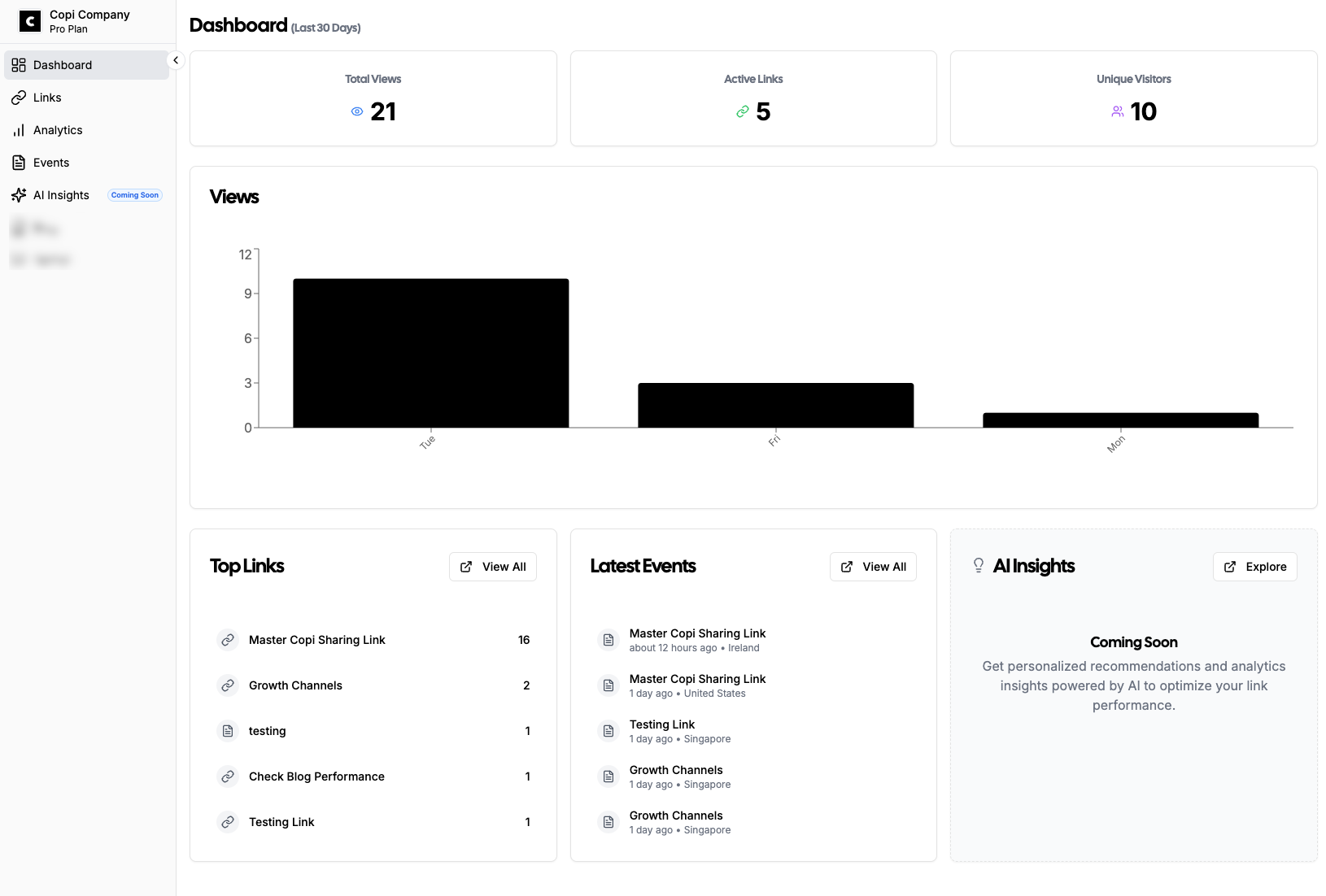
Copi is designed specifically for this low-friction approach.
It works alongside:
Existing email tools
Any CRM
Current sales processes
Key benefits:
Track PDFs and URLs in minutes
Real-time engagement notifications
Secure sharing with access controls
Clear engagement events and analytics
Affordable pricing for growing teams
No forced migrations.
No steep learning curve.
Common Mistakes to Avoid When Adding Document Tracking
Before rolling out document tracking, avoid these pitfalls:
Over-automating too early
Start with insights, not workflows.
Tracking everything
Focus on high-intent documents like proposals and pricing.
Ignoring security settings
Tracking without access control creates risk.
Not acting on insights
Engagement data only matters if follow-ups improve.
Final Thoughts: Integration Should Feel Invisible
The best sales tools don’t announce themselves.
They quietly:
If document tracking feels like “extra work,” it’s implemented wrong.
When integrated properly, it becomes part of your sales instinct—helping reps know exactly when to reach out, without ever changing how they sell.
If you want to see how document tracking fits into your workflow without replacing your tools, explore how Copi works—or test it with one proposal this week.
Sometimes, one tracked document is all it takes to change how you follow up.
